Frame Rate Explained: 24fps vs 30fps vs 60fps
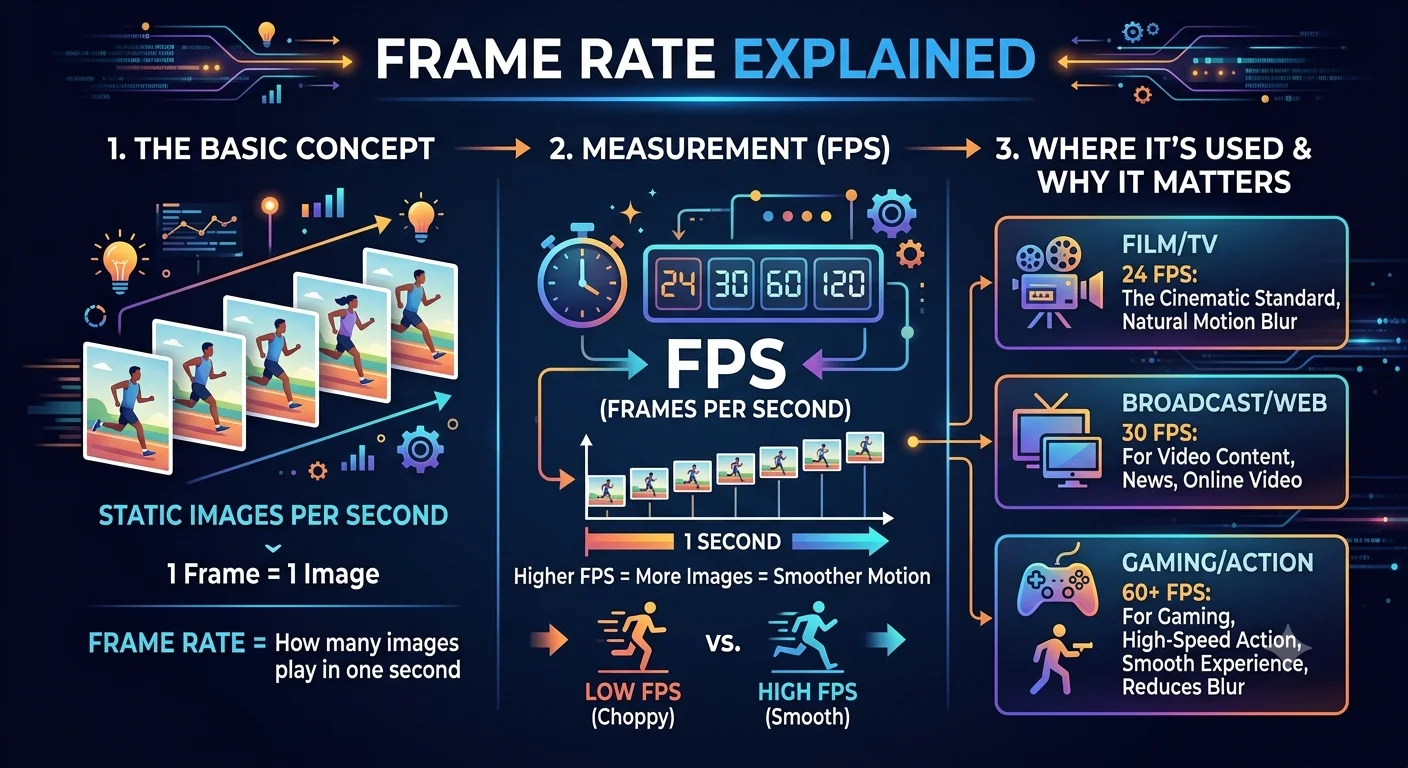
Frame rate is the number of individual still images, or frames, that appear in one second of video, and the three most common rates 24, 30, and 60 frames per second each produce a noticeably different look and are suited to different kinds of content.
Understanding these differences is useful for more than just recording your own video it also explains a lot about why some extracted frames look sharper than others, and why certain footage feels more "cinematic" while other footage feels more like live TV or a video game.
What frame rate actually means
Every second of video is made up of a rapid sequence of still images. A video recorded at 30fps shows 30 separate images every second; a video at 60fps shows 60. Your eyes and brain blend these individual images together into what looks like smooth, continuous motion, a phenomenon sometimes called persistence of vision.
24fps the traditional cinematic standard
- What frame rate actually means
- 24fps the traditional cinematic standard
- 30fps the everyday standard
- 60fps smooth motion for fast action
- Why frame rate matters for extracting a good frame
- How to tell what frame rate a video was recorded at
- Frame rate vs. resolution two different things
- Choosing the right frame rate for your own recordings
- Conclusion
- FAQ
24 frames per second has been the standard for movies for close to a century. It produces the look most people associate with "film" rather than video a slightly less smooth motion that many viewers have come to associate with a more dramatic, cinematic feel.
Best suited for: movies, narrative short films, and any project deliberately aiming for a classic film look.
Trade-off: motion can look slightly less fluid during fast camera pans or quick action compared to higher frame rates, which is actually part of why it reads as "cinematic" to most audiences rather than looking like a mistake.
- How to Turn a Video Frame Into a Wallpaper
- 7 Best Free Frame Grabber Tools in 2026
- How to Extract Frames Using FFmpeg
30fps the everyday standard
30 frames per second (technically 29.97fps in some broadcast standards) has long been the standard for television broadcasts in North America and is the default frame rate on most phone cameras and everyday recording apps.
Best suited for: vlogs, everyday phone recordings, tutorials, and general-purpose video where a slightly more "live" look than film is expected and fine.
Trade-off: it sits in between 24fps and 60fps smoother than film but not as fluid as high-frame-rate footage, which makes it a safe, versatile default for most casual content.
60fps smooth motion for fast action
60 Frame Grabber per second doubles the smoothness of 30fps, capturing twice as many individual images per second. This makes fast motion sports, gaming footage, action sequences look noticeably smoother and easier to follow, with less blur between frames.
Best suited for: sports broadcasts, gaming content, action-heavy footage, and any project where the audience benefits from being able to track fast movement clearly.
Trade-off: larger file sizes and the "smoother" look isn't always desirable some viewers describe high frame rate footage of dramatic content as looking artificially smooth, sometimes nicknamed the "soap opera effect," since it can undercut the cinematic feel that lower frame rates naturally provide.
Why frame rate matters for extracting a good frame
A higher source frame rate generally makes it easier to land on a genuinely sharp frame, for two related reasons:
More frames to choose from. At 60fps, there are twice as many individual images captured in the same second compared to 30fps, giving you more precise options to step through when looking for the exact moment you want.
Less motion blur per frame, in many cases. Because each frame at a higher frame rate typically represents a shorter slice of time, fast-moving subjects often show less blur in any single frame compared to the same moment captured at a lower frame rate — though this also depends on the camera's shutter speed, a related but separate setting.
Recommended Articles
 LEARN THE BASICS
 LEARN THE BASICS
 LEARN THE BASICS
This is part of why frame extraction from sports footage or gaming clips (usually recorded at 60fps or higher) tends to produce cleaner individual frames of fast action than equivalent footage shot at 24 or 30fps.
How to tell what frame rate a video was recorded at
Most video players display frame rate information in their file or video properties menu. For YouTube specifically, the frame rate isn't usually displayed directly in the player, but the smoothness of motion during playback, especially during fast panning or action, is often a reasonable clue — noticeably fluid motion during fast movement usually points to 60fps or higher.
Frame rate vs. resolution two different things
It's easy to conflate these, but they measure completely different aspects of video quality:
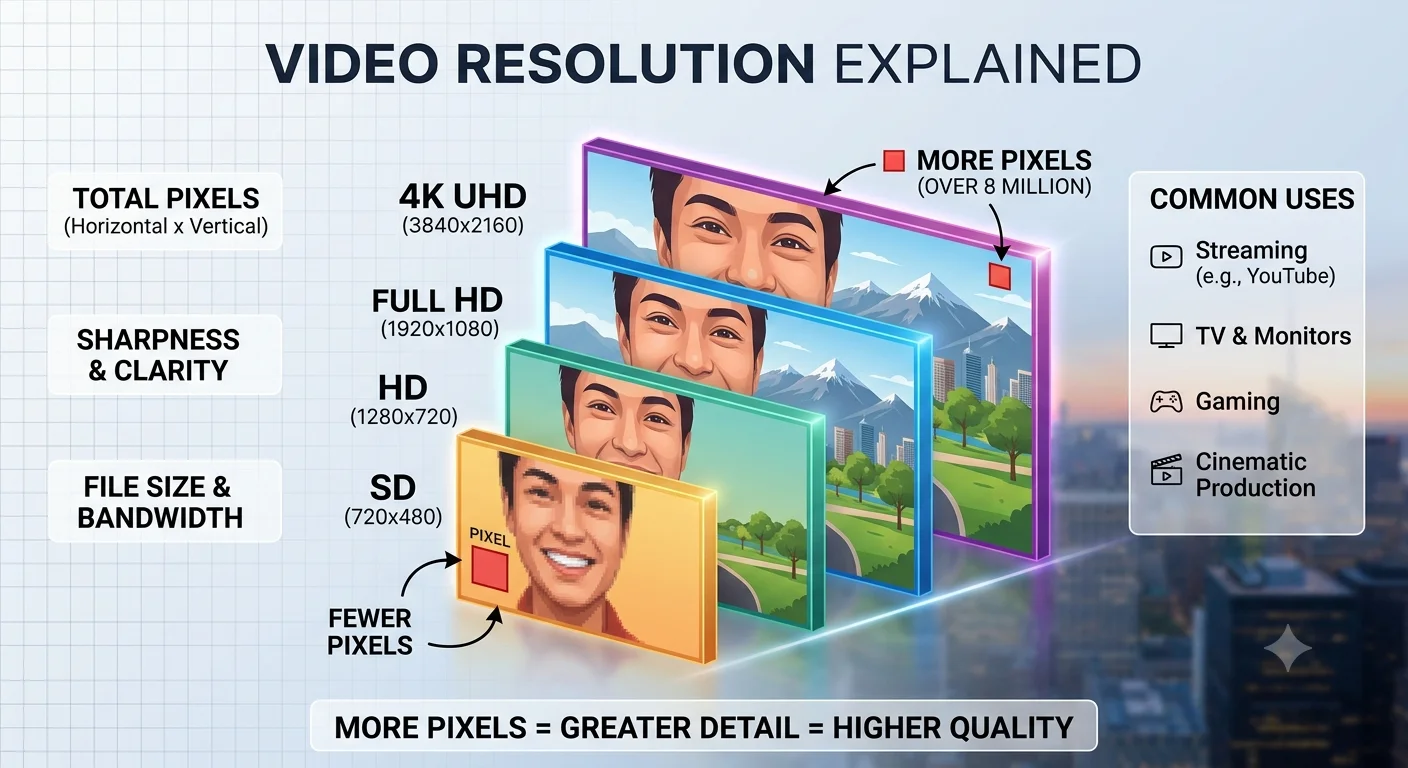
- Resolution is about how much detail is in each individual frame more pixels means a sharper still image.
- Frame rate is about how many of those images appear per second a higher number means smoother motion.
A video can be high resolution but low frame rate (sharp images, slightly less smooth motion) or lower resolution but high frame rate (smoother motion, less fine detail in each frame). Both matter for frame extraction, but they solve different problems resolution affects how sharp your extracted frame looks, while frame rate affects how many frame choices you have and how much motion blur shows up in fast-moving shots.
Choosing the right frame rate for your own recordings
If you're recording your own video and plan to extract frames from it later, a few guidelines help:
- Recording fast action or sports? Choose 60fps or higher if your device supports it, giving you cleaner, sharper frame options from fast movement.
- Recording a calm, simple scene? 24fps or 30fps is perfectly fine, and keeps file sizes more manageable.
- Unsure which to pick? 30fps is a safe, versatile default that balances smooth-enough motion with reasonable file size for most everyday recording needs.
Conclusion
Frame rate shapes both how motion looks and how much choice you have when picking a frame to extract later. 24fps gives footage a traditional cinematic feel, 30fps is the flexible everyday default most casual video uses, and 60fps captures fast motion with noticeably more smoothness and cleaner individual frames. Neither is universally "better" the right frame rate depends entirely on what you're recording and how you plan to use it afterward.
FAQ
Is a higher frame rate always better?
Not necessarily it depends on the content. Higher frame rates suit fast action well, but can make dramatic or cinematic content look artificially smooth compared to the traditional 24fps look.
Does a higher frame rate mean better image quality?
Not directly frame rate affects motion smoothness, while resolution affects the sharpness of each individual image. A video can be high frame rate but relatively low resolution, or the reverse.
Why do movies look different from live TV even at the same resolution?
This is largely a frame rate difference movies are traditionally shot at 24fps for a cinematic look, while live TV broadcasts often use 30fps or higher, giving it a more immediate, "live" feel.
What frame rate is best for extracting frames from sports footage?
Higher frame rates, typically 60fps or above, since they provide more frame options per second and generally less motion blur in fast-moving action.
Can I convert a video to a different frame rate after recording?
Yes, though converting to a higher frame rate than the original doesn't add real detail it just interpolates extra frames using software estimation, which isn't the same as footage genuinely recorded at that rate.