
What Is a Video Frame? A Beginner's Guide
A video frame is a single still image just like a photograph and a video is simply a fast sequence of these still images played one after another to create the illusion of motion.
If you've ever flipped through a stack of drawings quickly to see a little animation, that's exactly how video works: each drawing is a frame, and flipping through them fast enough tricks your eyes into seeing smooth movement. This guide breaks down what a frame actually is, how frame rate works, the different types of frames inside a video file, and why understanding all this makes a real difference when you're trying to extract a clean image from a video.
How frames create motion
Your brain can't tell the difference between "real" continuous motion and a fast enough sequence of still images. This is called the "persistence of vision" once you're seeing roughly 24 or more images per second, the gaps between them become invisible and it just looks like fluid video.
Early cinema discovered this by trial and error over a century ago, and it's still the exact same principle every video format uses today, whether it's a phone recording, a movie, or a video game.
What is "frame rate"?
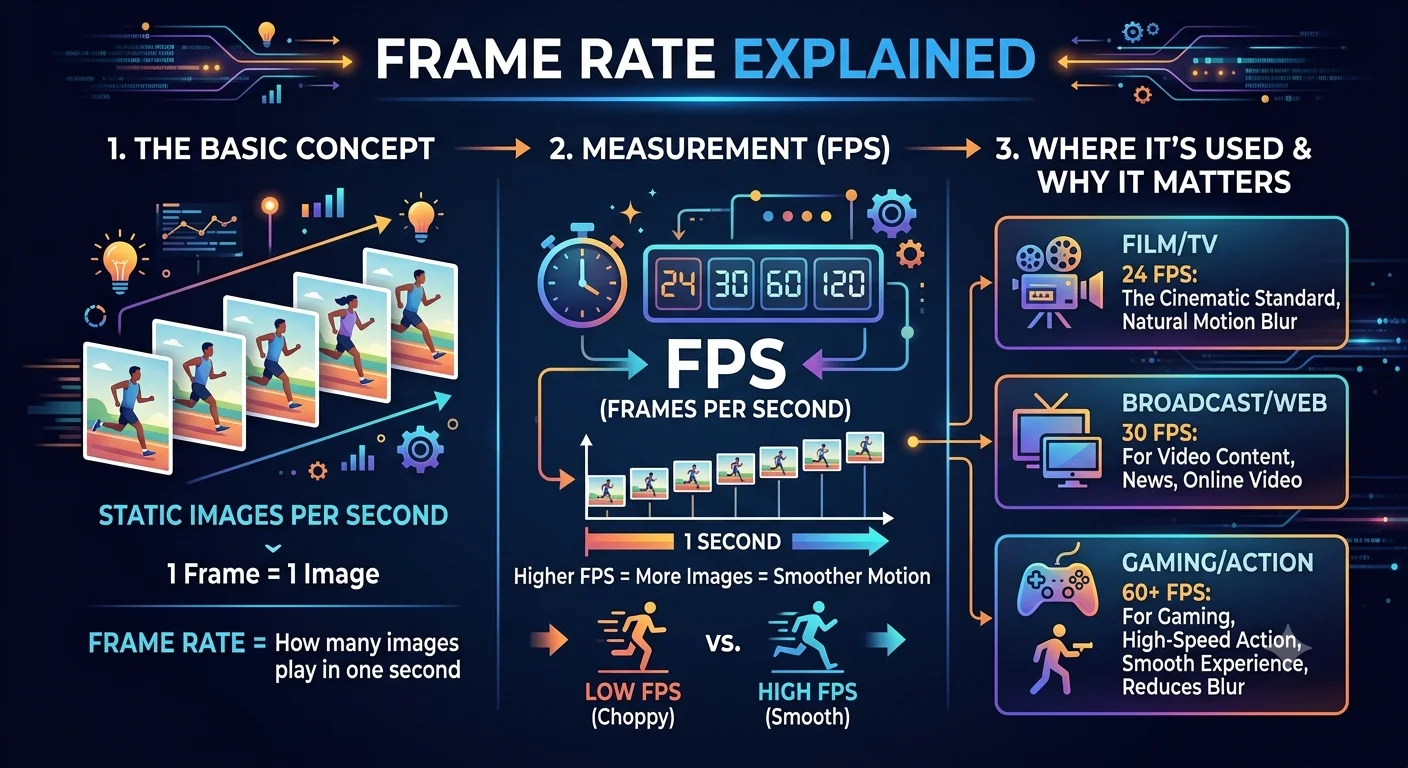
Frame rate (measured in fps, frames per second) is how many individual frames appear in one second of video.
- 24 fps — the traditional standard for movies, gives a cinematic look that most people associate with "film" rather than "video"
- 25 fps — a broadcast television standard in much of Europe, Africa, and Asia (tied to the region's electrical grid frequency)
- 30 fps — common for TV broadcasts in North America and everyday phone video
- 60 fps — smoother motion, popular for gaming footage, sports broadcasts, and increasingly for phone video since modern phones support it easily
- 120 fps and higher — used for slow-motion capture, then played back at a normal 24-30fps so the extra frames stretch the action out smoothly
A higher frame rate means more individual images make up each second of video, which is why high-fps footage looks noticeably smoother and why it's also easier to extract a genuinely sharp single frame from 60fps footage than from 24fps footage of the same fast-moving subject.
- Grab a frame from a YouTube video
- Extract Video Frames Using VLC Media Player
- How to Take a Screenshot on Windows 11
Frame vs. screenshot vs. keyframe what's the difference?
These three terms get mixed up constantly, so it's worth being precise:
A frame is any single image that makes up part of a video, in sequence. Every video is made entirely of frames, one after another.
A screenshot is a capture of whatever is currently displayed on your screen it might include a video frame, but also your browser tabs, cursor, taskbar, or other windows layered on top. A frame grab, by contrast, extracts only the video content itself at its native quality, without any of your screen's surrounding interface.
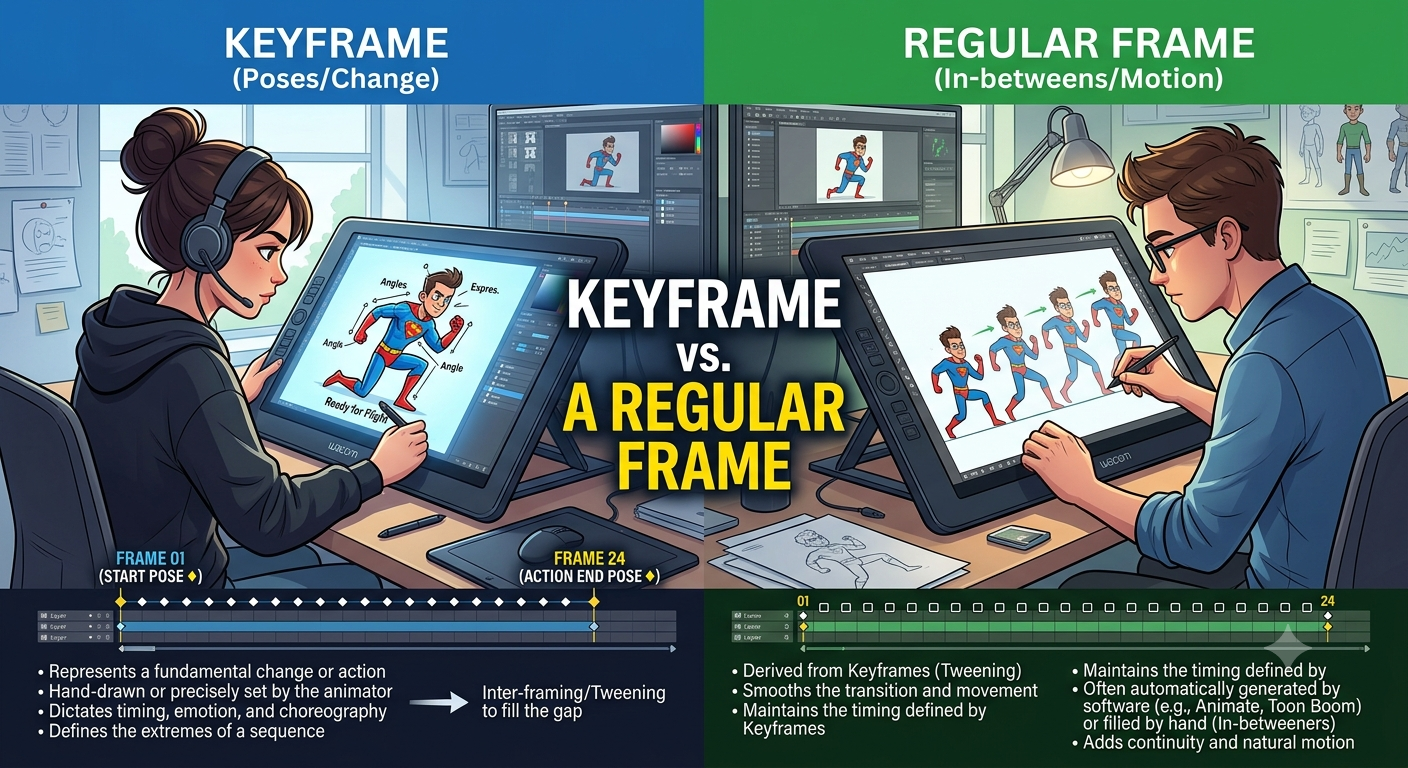
A keyframe (also called an I-frame) is a special type of frame that stores a complete image on its own. Most other frames in a video only store the changes since the last keyframe, to save file size this is called inter-frame compression. That's why keyframes are often the sharpest, most reliable frames to extract, and why some frame-extraction tools default to snapping to the nearest keyframe rather than an arbitrary point in time.
How video compression actually affects frames
Understanding a little bit about compression explains a lot of the quality quirks people notice when extracting frames.
Most video formats (like the widely used H.264 and H.265 codecs) don't store every single frame as a full, independent image that would make file sizes enormous. Instead, they store:
- I-frames (keyframes): complete images, placed periodically throughout the video (often every 1-4 seconds)
- P-frames: store only what changed since the previous frame
- B-frames: store changes based on both the previous and the next frame
When you extract a P-frame or B-frame, your video player or extraction tool is actually reconstructing that image on the fly from the surrounding keyframe and the stored differences. This reconstruction is normally invisible during playback, but it's part of why frames extracted right in the middle of fast motion or a scene change can sometimes look slightly less clean than a keyframe extracted from the same clip.
Recommended Articles
 LEARN THE BASICS
 LEARN THE BASICS
 LEARN THE BASICS
Why frame quality varies when you extract one
When you pull a single frame out of a video, its quality depends on several factors working together:
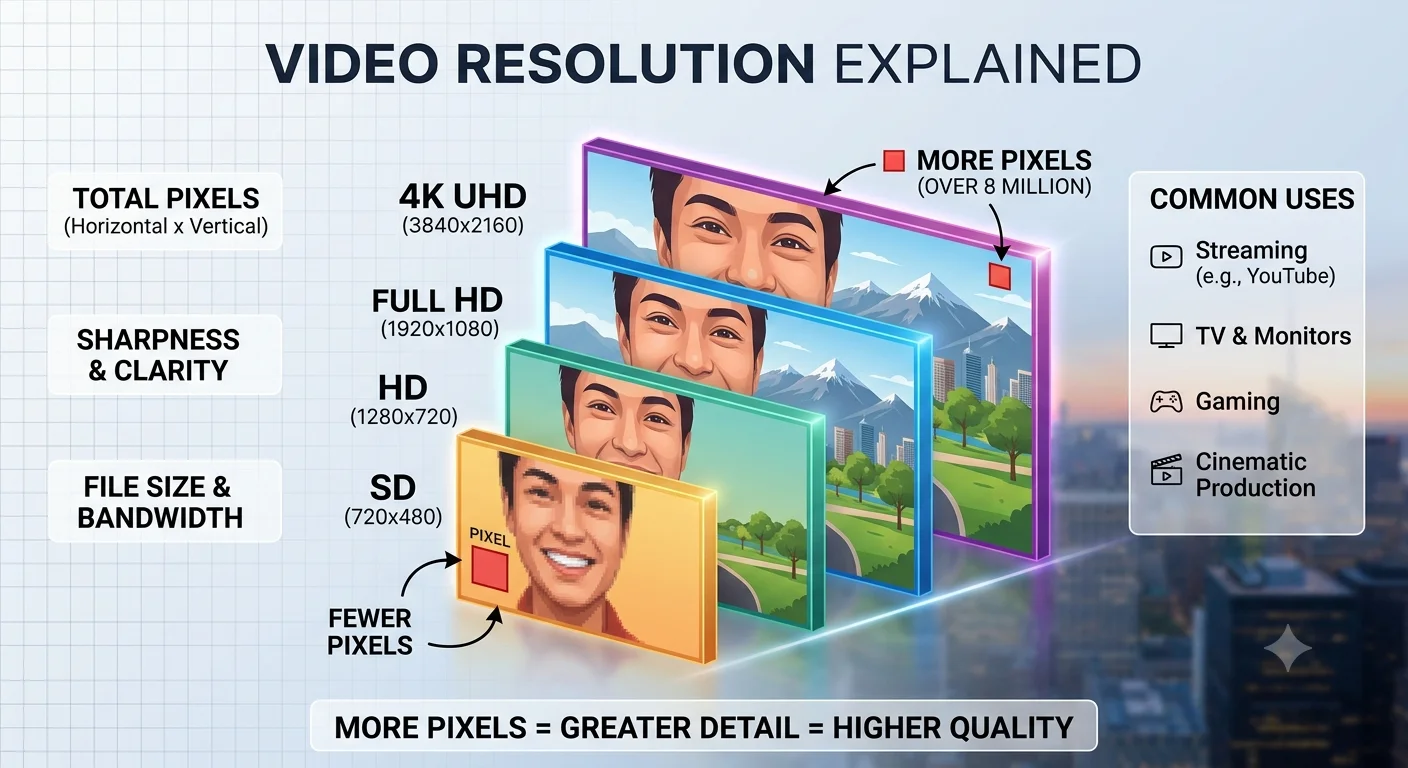
- The video's original resolution. A 480p video can never produce a sharp 4K frame extraction can only reveal detail that was actually recorded, never add detail that wasn't there.
- Compression level (bitrate). Heavily compressed videos, especially ones re-uploaded multiple times across different platforms (a video downloaded from YouTube, then re-uploaded to a messaging app, for example), lose more detail with each compression pass.
- Motion blur. Frames captured during fast movement will look blurry even in high-resolution video, because that's how the camera's shutter recorded it in the first place this is a property of the original footage, not something extraction can fix.
- Frame type. As covered above, keyframes tend to extract more cleanly than the frames compressed relative to them.
Why this matters for frame extraction
Understanding frames helps you get noticeably better results when grabbing one from a video:
- Extracting a frame near a keyframe usually gives the sharpest result, since it isn't reconstructed from compressed difference data
- Higher source resolution and higher bitrate always produce cleaner extracted frames, regardless of which tool you use
- Still or slow-motion moments extract far better than fast action, since there's no motion blur baked into the original recording
- If a specific frame looks unexpectedly soft, nudging forward or backward by a frame or two often lands you on a much cleaner nearby frame
A quick real-world example
Imagine a 10-second video recorded at 30 fps. That's 300 individual frames total. If you want to grab the exact moment someone starts smiling, you're really choosing one specific image out of those 300 and the frames immediately around it might look almost identical, or noticeably different, depending on how fast the action is happening at that moment. This is exactly why frame-by-frame stepping (rather than dragging a timeline slider) is the most reliable way to land on the best possible frame.
Conclusion
A video frame is simply one still image out of the many that make up a video, and understanding how frame rate, compression, and keyframes work explains almost every quality question people run into when extracting one. The clearest extracted frames come from still moments near a keyframe, captured from the highest available resolution everything else about frame quality flows from those basics.
FAQ
How many frames are in a typical video?
A 1-minute video at 30 fps contains 1,800 individual frames (30 frames × 60 seconds). A 1-minute video at 60 fps contains double that, 3,600 frames.
Can a frame be higher quality than the video it came from?
No an extracted frame can never exceed the quality of the source video. Extraction tools can only pull out what's already there, not add detail that wasn't recorded. Upscaling tools can enlarge a frame afterward, but that's adding artificial detail through algorithms, not revealing anything that was actually captured.
Why do some extracted frames look pixelated?
This usually means the source video had a low bitrate or resolution, or heavy compression common with videos downloaded from social apps rather than the original camera file, since most social platforms re-compress every upload to save server space.
Is a GIF made of frames too?
Yes a GIF is essentially a short loop of individual frames, similar to a tiny video, which is why frame-extraction tools are often used as the first step to build a GIF: extract the relevant frames, then combine them into a looping animated file.
What's the difference between frame rate and shutter speed?
Frame rate is how many images are captured per second; shutter speed is how long each individual image's "exposure" lasts. A fast shutter speed produces sharper individual frames with less motion blur, even at the same frame rate which is part of why some slow-motion footage extracts more cleanly than standard-speed footage of the same subject.
Do all videos use the same frame rate throughout?
Not always. Some videos use "variable frame rate" (VFR), especially ones recorded on phones, where the frame rate can fluctuate slightly depending on lighting or processing load. This can occasionally cause frame-by-frame stepping tools to behave slightly inconsistently compared to a fixed frame rate (CFR) video.