How to Screenshot a TikTok Video Without It Notifying Them
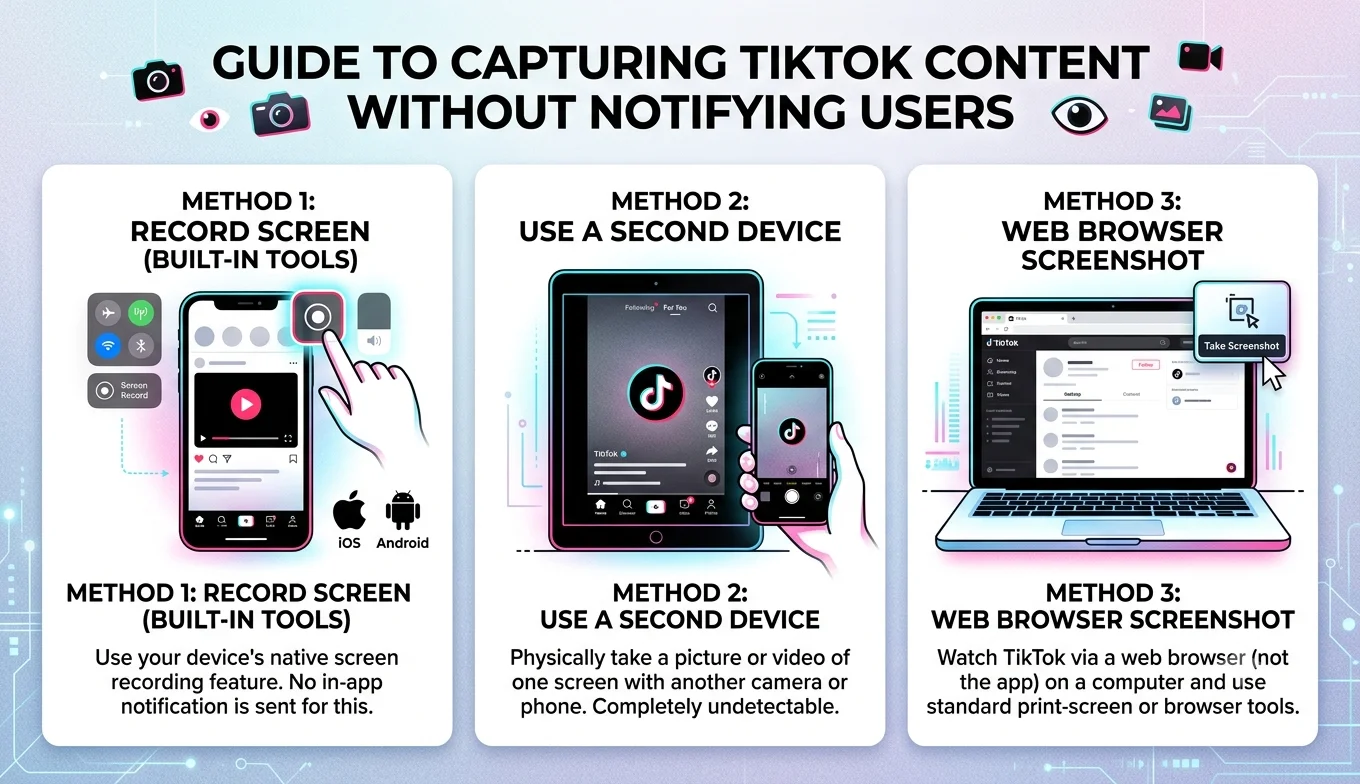
You can screenshot a TikTok video without the creator being notified, because TikTok does not send notifications for screenshots of regular video posts, the notification system only applies to specific situations like screenshotting a disappearing photo in a direct message.
This is one of the most common misunderstandings about TikTok, so this guide clears up exactly when TikTok does and doesn't notify someone, plus the safest ways to save a frame from a video without any risk of an alert being sent.
Does TikTok actually notify people about screenshots?
For a standard public or private video post on someone's profile or in your For You feed, TikTok does not send any notification when you take a screenshot. You can screenshot as many TikTok videos as you like without the creator ever being told.
TikTok's screenshot notifications are limited to a narrow set of situations:
- Disappearing photos or videos sent in direct messages. If someone sends you a photo through TikTok DMs that's set to disappear after viewing, taking a screenshot of it can trigger a notification to them.
- Some private story-style content, depending on the exact feature and how it's configured.
Regular videos on the main feed, a creator's profile, sounds, comments, and duets are not covered by any screenshot notification this is the vast majority of what people want to capture.
How to screenshot a TikTok video
- Does TikTok actually notify people about screenshots?
- How to screenshot a TikTok video
- 1. Open the video
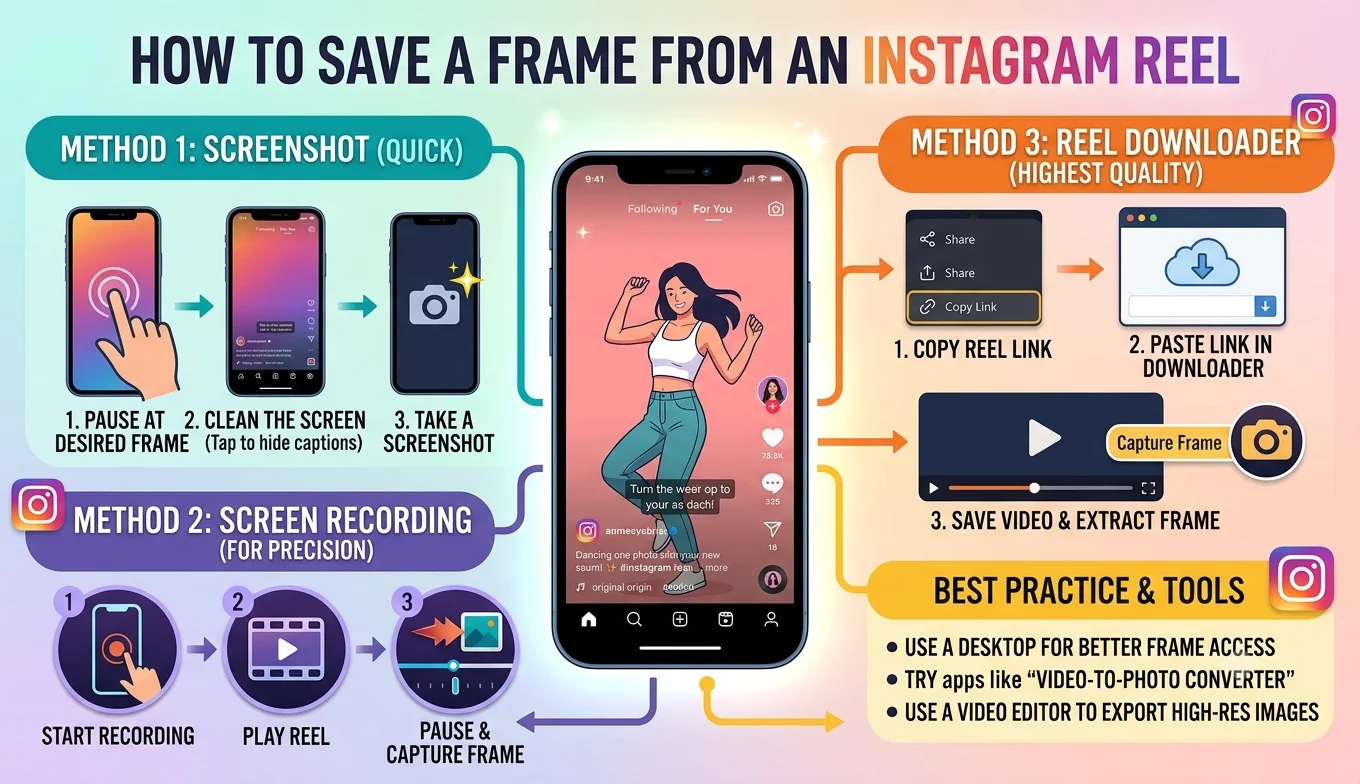
- 2. Pause at the right moment
- 3. Take your device's screenshot
- 4. Crop out the interface
- Getting a cleaner frame than a screenshot
- Saving a whole TikTok video instead of one frame
- Is it okay to screenshot or save someone's TikTok?
- Common questions people have about TikTok privacy
- Tips for getting a good screenshot on TikTok
- Conclusion
- FAQ
1. Open the video
Find the TikTok video you want to capture, either in your feed or on the creator's profile.
2. Pause at the right moment
Tap the video once to pause it at the exact frame or moment you want to capture. Unlike YouTube, TikTok doesn't offer frame-by-frame stepping, so you may need to pause and nudge slightly a couple of times to land on the right moment.
3. Take your device's screenshot
- iPhone: Press the side button and volume up button at the same time
- Android: Press the power button and volume down button at the same time (exact combination varies slightly by manufacturer)
4. Crop out the interface
Your screenshot will include TikTok's on-screen elements the caption, like button, comment icon, and profile picture. Open your photo editor and crop these out if you want a clean image of just the video content.
Getting a cleaner frame than a screenshot
A phone screenshot captures your entire screen, including TikTok's interface overlay, and it's limited to your screen's resolution rather than the video's actual resolution. If you want a cleaner result:
- Copy the link to the TikTok video (tap Share, then Copy Link).
- Paste the link into an online frame grabber tool.
- Scrub to your chosen moment and download the frame directly, without the on-screen buttons and captions cluttering the image.
This method also tends to preserve more detail than a screen capture, since it's built from the video file itself rather than a photo of your screen.
Saving a whole TikTok video instead of one frame
If you want to keep the entire video rather than a single frame:
- Tap the Share icon, then Save video this works for videos where the creator has allowed downloads.
- If the download option isn't available, the creator has disabled it, and downloading through a workaround isn't something TikTok supports or something this guide recommends, since it goes against the creator's stated preference.
Is it okay to screenshot or save someone's TikTok?
Saving a screenshot for personal enjoyment, to remember something funny, or to send to a friend is generally considered completely normal TikTok behavior and is extremely common. Where it's worth being more thoughtful:
Recommended Articles
 SOCIAL MEDIA FRAME CAPTURE
 SOCIAL MEDIA FRAME CAPTURE
 SOCIAL MEDIA FRAME CAPTURE
SOCIAL MEDIA FRAME CAPTURE
SOCIAL MEDIA FRAME CAPTURE
- Re-posting elsewhere. If you plan to repost a screenshot or extracted frame on another platform, crediting the original creator is good etiquette and sometimes a platform requirement.
- Private accounts. Screenshotting content from a private account and sharing it outside that circle can understandably upset the person who posted it, even without any notification being sent.
- Commercial use. Using someone's TikTok frame in an ad, product, or paid content without permission can raise real copyright concerns.
Common questions people have about TikTok privacy
Does TikTok notify people about screen recordings? No standard screen recording of a TikTok video, the same as a screenshot, does not send any notification for regular posts.
Does liking or watching a video multiple times send any extra alert? No, TikTok's engagement notifications (likes, comments, follows) are separate and unrelated to screenshotting.
Can a creator see how many people screenshotted their video? No, TikTok doesn't provide creators with screenshot analytics for regular posts, they simply see standard view, like, and share counts.
Tips for getting a good screenshot on TikTok
- Turn off autoplay sound anxiety by muting first: this doesn't affect the image, but makes it easier to focus on landing the right pause point without being distracted.
- Use landscape screenshots sparingly: TikTok is designed vertically, so rotating your phone rarely helps and can crop content awkwardly.
- Screenshot at the highest display setting your phone allows: if your phone has a resolution or display-quality setting, keeping it maxed out gives your screenshot more detail to work with.
- Prefer a frame grabber for anything you plan to reuse or edit, since it avoids interface clutter and captures at better quality than a screen capture.
Conclusion
Screenshotting a TikTok video is safe and doesn't trigger a notification for regular posts, that alert system only applies to disappearing DM content. Whether you use your phone's built-in screenshot shortcut or an online frame grabber for a cleaner result, the process takes seconds. Just be thoughtful about re-sharing content from private accounts or using someone else's footage commercially.
FAQ
Will the TikTok creator know if I screenshot their video?
No, for standard public or profile videos, TikTok does not notify creators about screenshots. Notifications only apply to disappearing photos sent through direct messages.
Can I screenshot a TikTok Live stream without anyone knowing?
Yes, screenshotting a Live stream doesn't send a notification either, though be aware the video quality of a live stream is often lower than a regular uploaded post.
Why does my TikTok screenshot include a black screen?
This is rare on TikTok compared to DRM-protected streaming apps, but if it happens, it usually means a specific video has some form of content protection applied by the creator or TikTok itself.
Is it better to screenshot or screen record a TikTok?
Screenshot if you only need one still moment; screen record if you want the full video or multiple moments, since you can extract several frames afterward from a single recording.
Can I extract a frame from a downloaded TikTok video with a watermark removed?
Downloaded TikTok videos typically include the TikTok watermark and username overlay automatically. Removing it isn't something this guide covers, since it can conflict with the creator's rights over their own content.